Post notices yourself
Holiday, exam date, admission news. Write it and publish it, on the same day.
For private schools
Admission season starts on a parent's phone. Show them your classrooms, your teachers and your results, and make the enquiry form the easiest thing on the page.
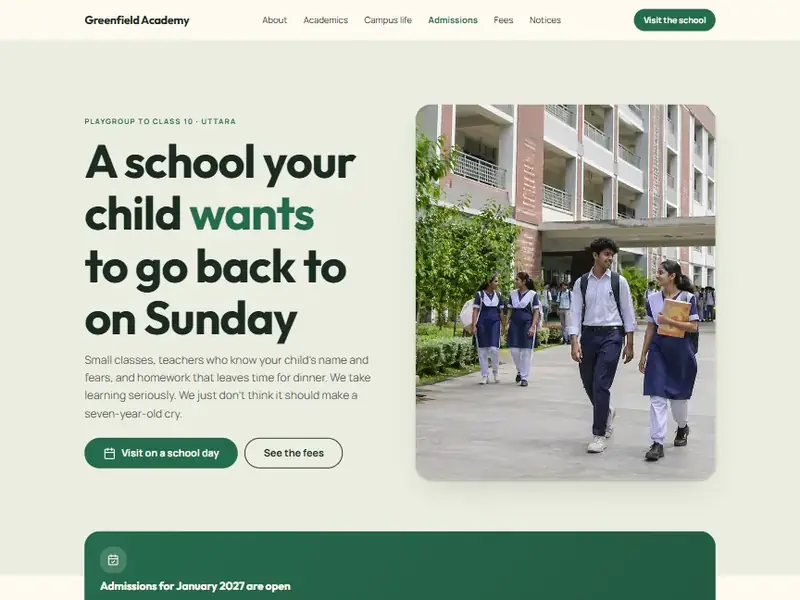
The real Schoolhouse template. Yours to change.
Why it works
Holiday, exam date, admission news. Write it and publish it, on the same day.
Parents fill in a short form and it reaches the office straight away.
Write your brief in either. Each template also has a Bangla home page.
The Schoolhouse template
Warm paper, leaf green and marigold, with soft corners and plain answers. Written for a parent deciding at the kitchen table. For private schools, colleges and coaching-free academies. Greenfield Academy is a made-up business, so it is easy to picture yours in its place. Every section can be changed.





How it works
Write what your business does and who it is for, or pick the template above.
Click any word, photo or colour. Ask the AI to rewrite a section. Undo is one key away.
One click puts it live on a free address. Connect your own domain whenever you are ready.
Questions
Yes. Invite them to your workspace with their own login, as an editor.
Yes. Add photo galleries and videos from YouTube or Vimeo anywhere on the site.
No. If you can write a WhatsApp message, you can make a site here. Describe your business, look at what the AI made, change what you like and press Publish.
They are what the AI runs on. Your plan includes some every month and you can buy more. Each job shows its cost first, you only pay for what it really used, and your balance can never go below zero. Editing by hand uses no credits.
Yes. Add the record we show you at your domain company. We check it and switch on HTTPS. Until then your site lives on a free address of ours.
Yes. Tell us what your business needs and we can build the site for you, then hand you the login so you can change it yourself afterwards.